Practical Tips (Text)
-
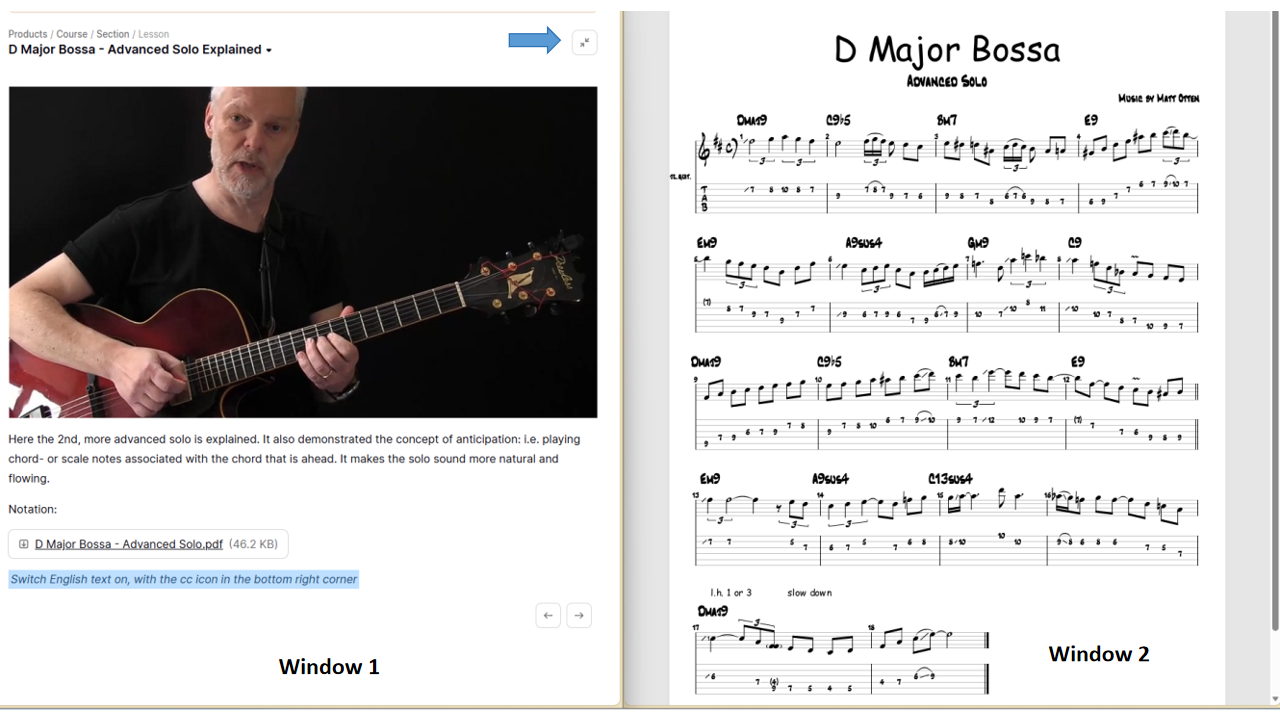
When you have video and a link below for the notation, you can open the notation in a separate window. Click on the link with your right mouse button, and open in a new window. Then arrange the windows anyway you want; for instance, the notation below the video, or next to it. If you have two screens, put it on another screen.
A nice arrangement is this: open the notation in a separate window; put this window on the right half of the screen. On the lesson page use the icon top right to remove the lesson list on the left, then put this window on the left side of the screen. Now you can see and play video and see notation side by side. If you work on a Windows system, you can use the Windows key+arrow shortcut to easily fit a window to the left or right half of the screen.
By defaut notation opens a separate tab of your browser window; if you do that then you can also easily switch between video and notation. If you're on a small screen that may work better for you. -
Make sure you always switch subtitles on with the cc icon, and choose English. By default it is off, so you have to switch it on!
The subtitles do not contain the spoken text, but indicate where you are in the video, or in the notation (e.g. BAR numbers).
Of course, if you have a looper, use it to play and loop the chords, that is the preferred way to practice. If you have another kind recording device or recording software (every computer should have a basic audio recorder), you can use that as well. If you cannot record at all, use the backing tracks at the end of each section.
-
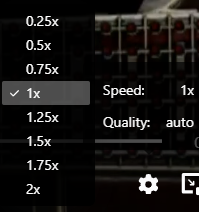
You can slow down any video by clicking the settings icon at the bottom of the screen, and setting speed.
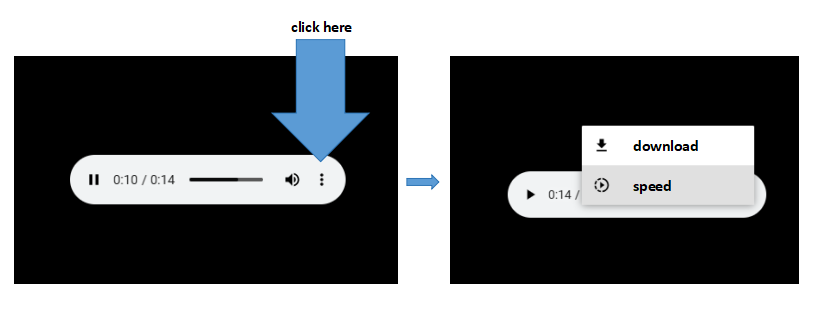
If you want to download or slow down the backing tracks, use the ''download audio file'' link. Click the three dots that appear when you click download audio: you will see two options: download, and a speed control.
-
In order to play an endless loop, download the single loop audio file and play it in any generic mp3 player on your system with loop feature. Practically all computers, tablets, phones have a default media player, that often has a loop feature.